inventory + topology
Edit the graph directly
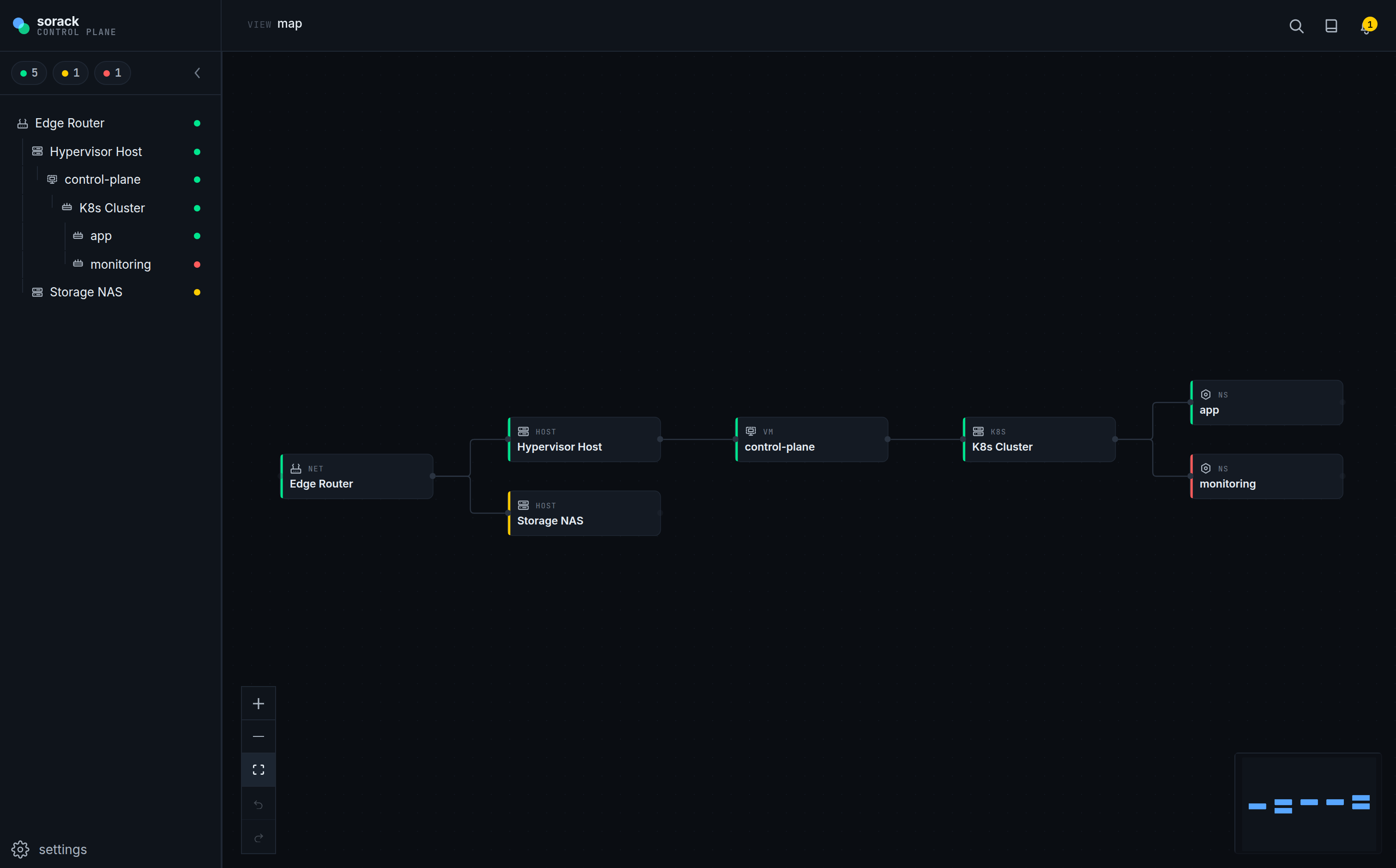
Create, rename, reparent and draw typed edges right on the canvas. dagre lays it out for you, every time.
create reparenttyped edge
Inventory, topology and monitoring in one self-hosted dashboard. Edit your infrastructure as a live graph — two-axis nodes, typed edges, per-axis probes and linked runbooks.
Primitives that mirror how self-hosted infrastructure actually behaves — no abstractions you have to translate back.
Create, rename, reparent and draw typed edges right on the canvas. dagre lays it out for you, every time.
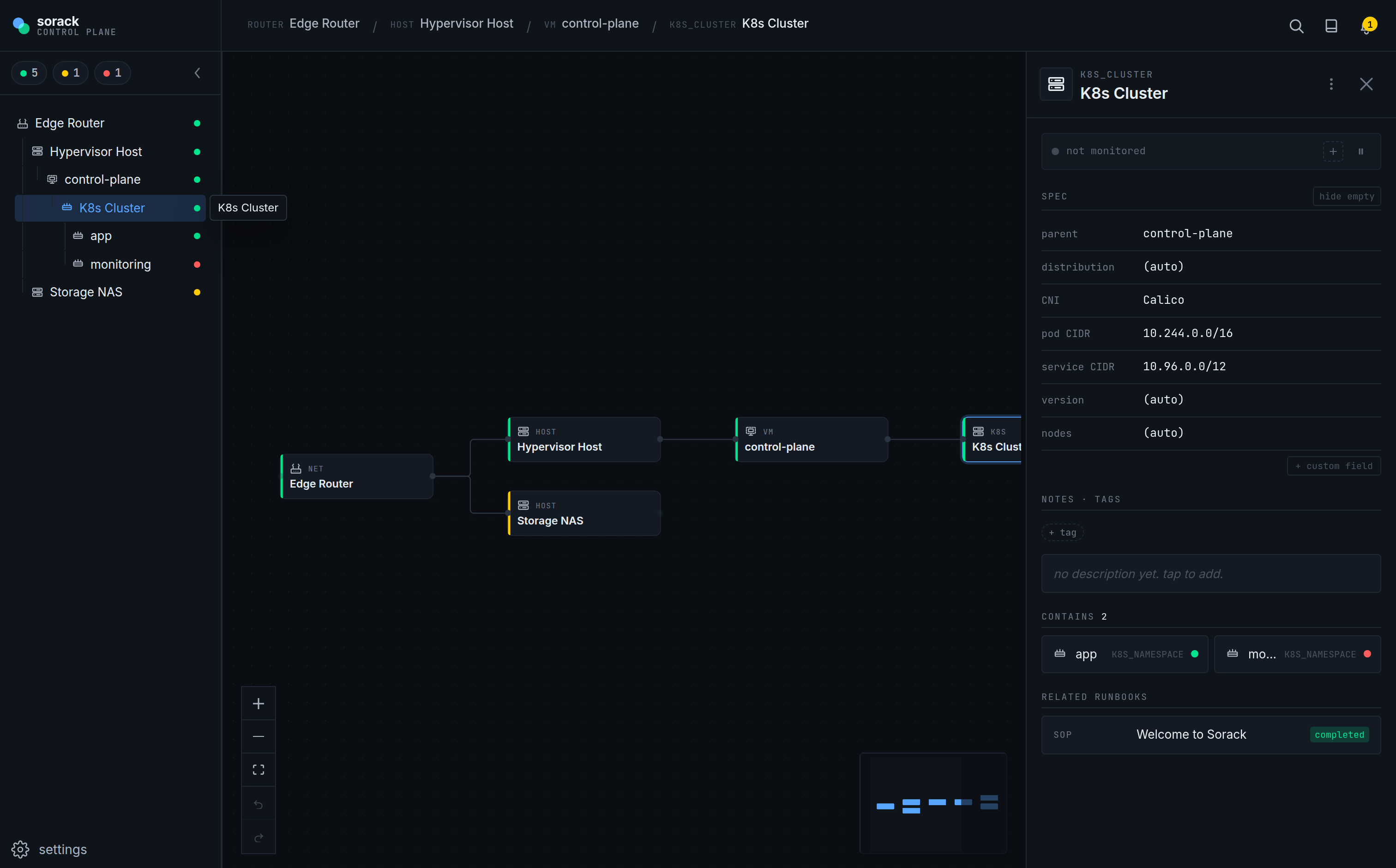
Every node is an infra type plus zero or more software attachments. Detail and monitoring slots merge across both axes.
Infra reachability and software API checks run side by side. StatusLine picks the primary axis and switches to a pill row.
Ship with tcp, http, k8s (in-cluster), proxmox (PVE API) and system (node_exporter scrape). A new adapter is a single file plus one register call.
In-app CodeMirror split-view editor, [[node:]] links, git sync and attachments.
Real screens from sorack — your homelab as a live topology graph, and a node's two-axis detail.
A React + Hono + Postgres app — run it locally, or self-host on Kubernetes. The full guide is in the docs.
Full guide →# need Node 22 + any Postgres instance $ git clone https://github.com/sdin99/sorack && cd sorack $ pnpm install # point at your Postgres, then start web + api $ export POSTGRES_HOST=localhost POSTGRES_PASSWORD=... $ pnpm dev ✓ web → http://localhost:5173 · api → :3001